COMP 4300 Notes: Building a 2D Game Engine in C++
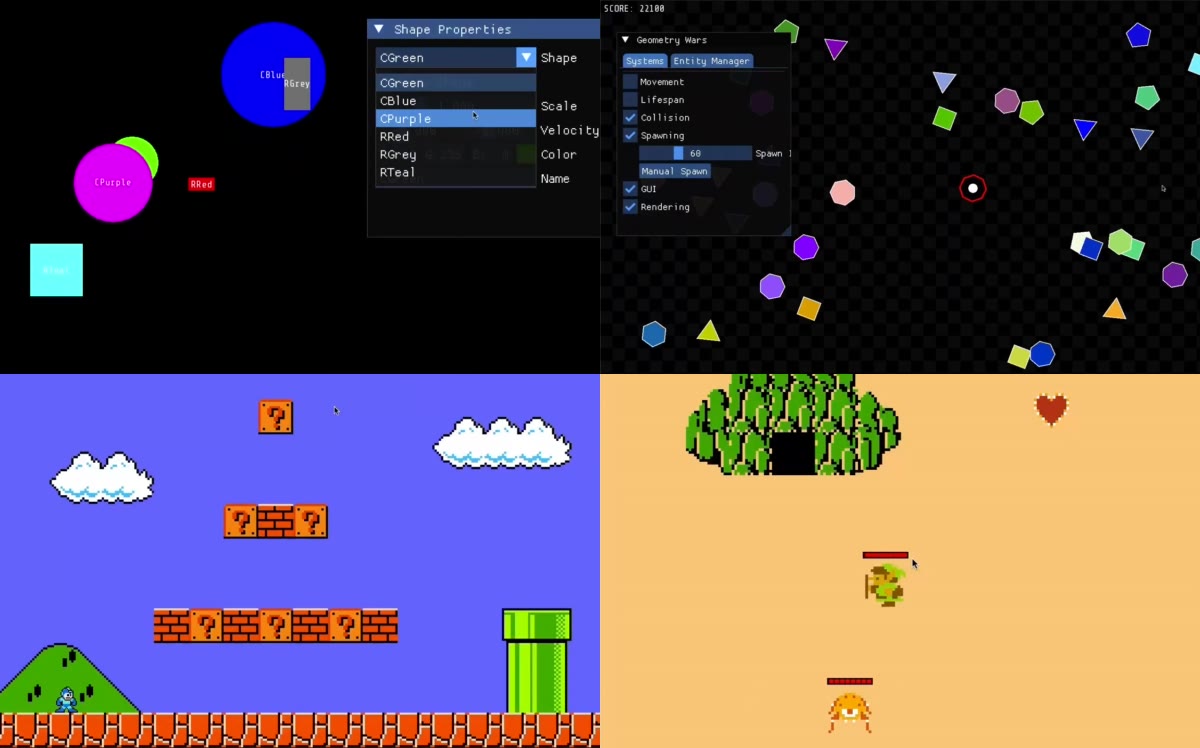
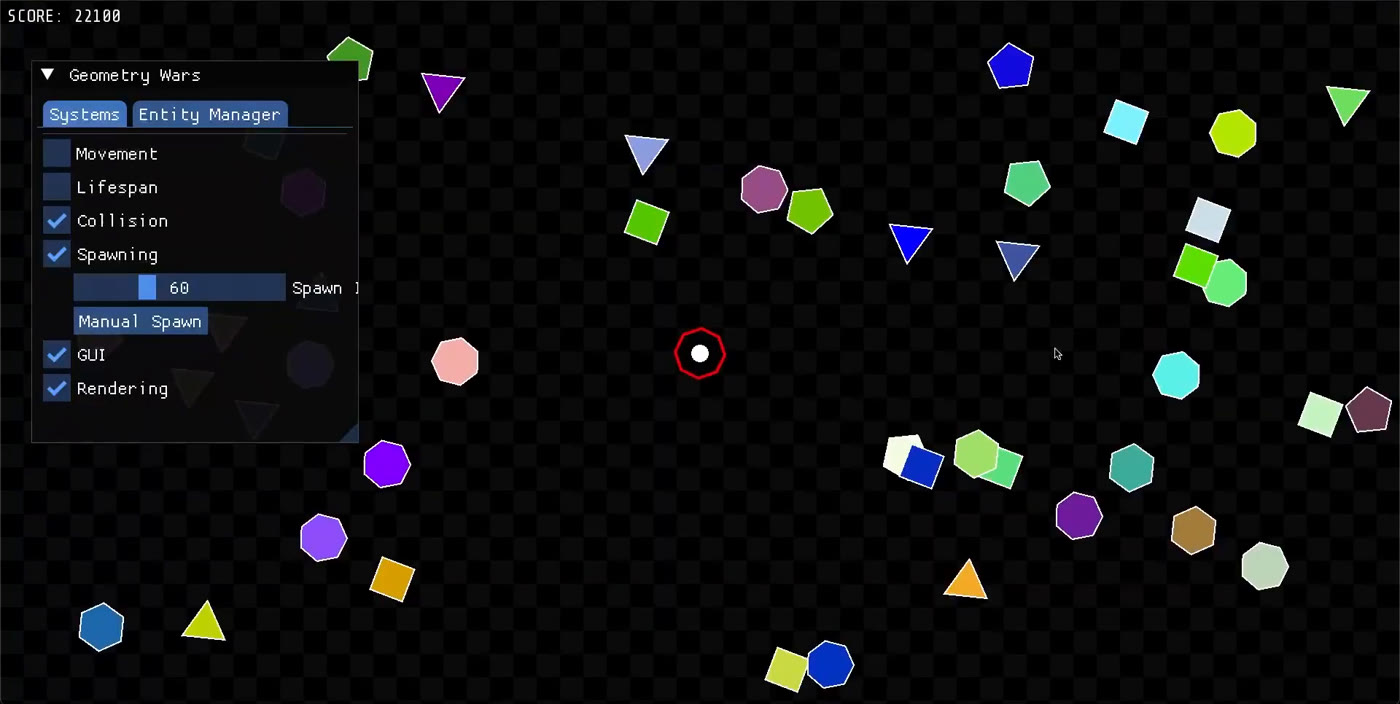
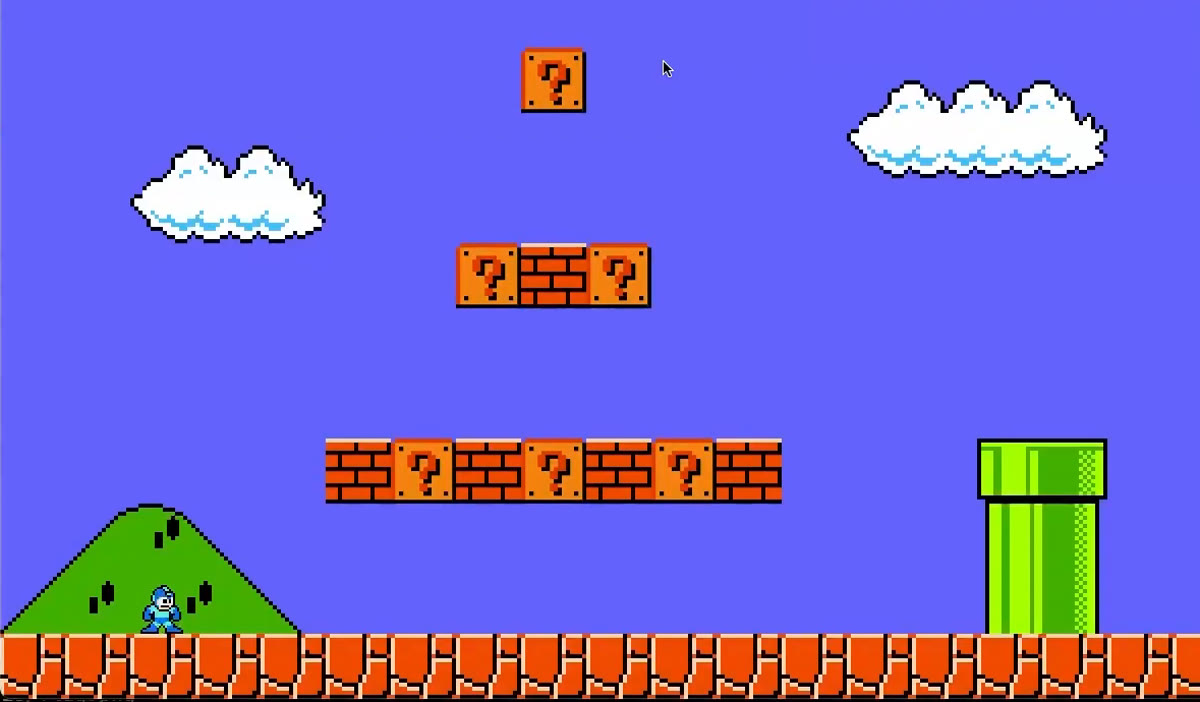
I finished Dave Churchill’s COMP 4300 several months ago. It is a game programming course at Memorial University (the recordings are from Fall 2025) in which you build a small 2D engine in C++23 on top of SFML 3 and Dear ImGui step by step, through four assignments (bouncing shapes, a Geometry Wars clone, a Mega Man platformer and a Zelda-like) and a group project.
Lectures and assignments are how the course is organized. These notes are grouped by topic instead, with links to the lectures behind each one. Every screenshot is a frame from Churchill’s own lecture demos.
Keep data and logic apart
The rule Churchill singles out as the most important one to remember is to keep logic and data apart (L5). In ECS terms an entity is an identity, a component is plain data, and a system is a function that runs over every entity that has the components it needs (L4). A CTransform stores a position and velocity and does nothing; sMovement is the only code that moves things.
L4 compares five ways to store components in C++ and ends on a std::tuple of component types inside Entity, with get<T>(), has<T>(), add<T>() and remove<T>(): contiguous, no allocation per component, looked up at compile time. The EntityManager keeps shared pointers in a vector plus a map from tag to entities, so “all the bullets” is one lookup. It also delays adds and removes: new entities wait in m_toAdd, destroy() only clears m_alive, and both take effect at the start of the next update, because changing a vector while a system iterates over it invalidates the iterators (L5 at 28:00).
An engine made of scenes, assets and actions
From Assignment 3 on, the single Game class of Assignment 2 splits in two (L8 at 4:34). GameEngine owns what is shared: the window, the loaded Assets, input and a map from names to scenes. Each Scene (menu, play, Zelda) owns an EntityManager, an action map and its own systems, and only the current scene is updated. Opening an inventory screen therefore leaves the gameplay scene alive but paused, and closing it resumes where it left off; Churchill likens the scene map to a finite state machine.
Two habits come with this design. Assets are loaded once and shared, so a thousand birds use one texture. And gameplay code never sees a key: the engine maps keys to action names per scene, and an Action is a name plus START or END (L9). Because actions are tiny, a replay is just a list of frames and actions, which is how Doom demo files worked (L9 at 43:00), and an AI can search over the same actions.
map<string, shared_ptr<Scene>>changeScene(name, args)sDoAction(Action), update() and sRender()EntityManager, an action map and a frame countervector<shared_ptr<Entity>> plus a map from tag to entitiesstd::tuple of componentsCInput flagssName convention; which systems exist depends on the scene.Collision, gravity and movement
Collision is two problems, detection and resolution (L7). For axis-aligned bounding boxes (AABB) the overlap on one axis is (w1 + w2) / 2 - |x1 - x2|, and the boxes collide when both axes overlap. The side of the hit comes from the previous frame: if the boxes already overlapped vertically then, the new overlap is horizontal, and the other way round. That is how a brick hit from below breaks while one hit from above is stood on (L7 at 39:00).
Platforming adds little on top (L10). Gravity is an acceleration added to velocity every frame, a jump is an initial upward velocity, and releasing the key cuts it for variable jump height. Speed has to stay below the thinnest obstacle per update or objects tunnel through it; when that is not enough, run several updates per rendered frame, as Super Mario 64 does with four (L19 at 50:00).
Line of sight, lighting and pathfinding
Seeing is segment intersection (L12). Write a ray as A + t·r and an edge as C + u·s; with the 2D cross product, t = ((C - A) × s) / (r × s) and u = ((C - A) × r) / (r × s), and the segments cross when both are in [0, 1] (L12 at 27:00). A rectangle is four such edges. In Assignment 4 an NPC follows the player only while no vision-blocking tile intersects the line between them, and otherwise returns home or patrols its waypoints (L15).
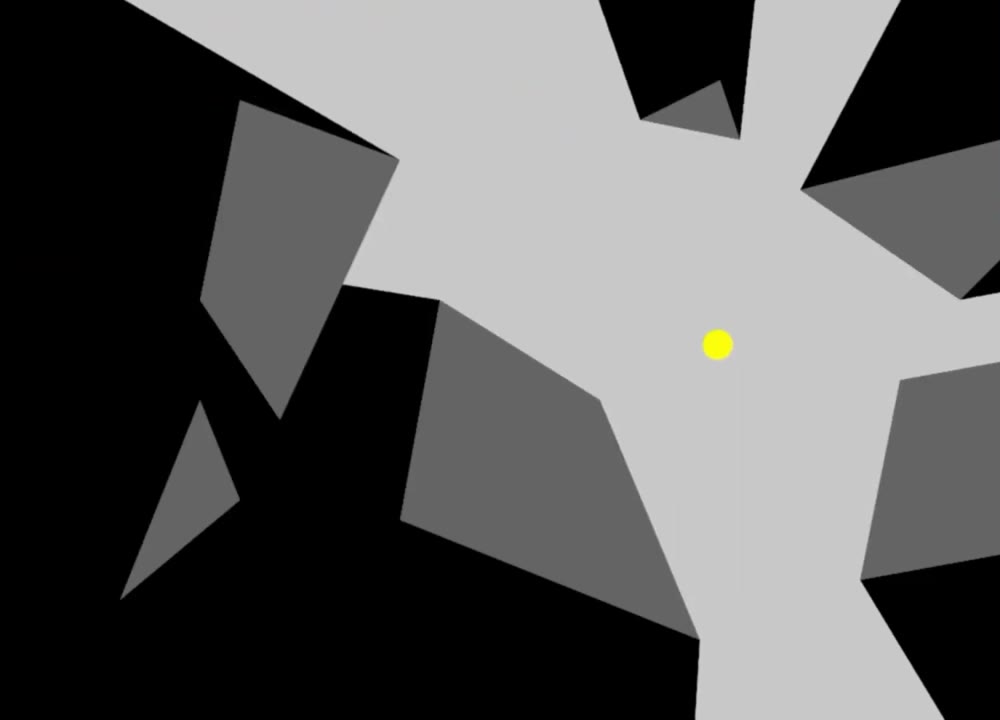
Lighting reuses the same test. Evenly spaced rays leak light past corners; casting three rays at every vertex (one at it, two nudged either side), sorting them by angle and drawing an sf::TriangleFan gives a clean visibility polygon (L12 at 46:00).
Getting somewhere is a separate problem (L14). Search runs on a cheap representation (a grid, or a navmesh of convex polygons) and the path is refined with line-of-sight checks. When many agents share one goal, a vector field replaces per-agent search: a breadth-first distance map from the goal and an arrow to the lowest neighbour. Steering handles the last stretch: desired = normalize(target - pos) * maxSpeed, steering = desired - velocity, with arrival scaling the speed down near the target.
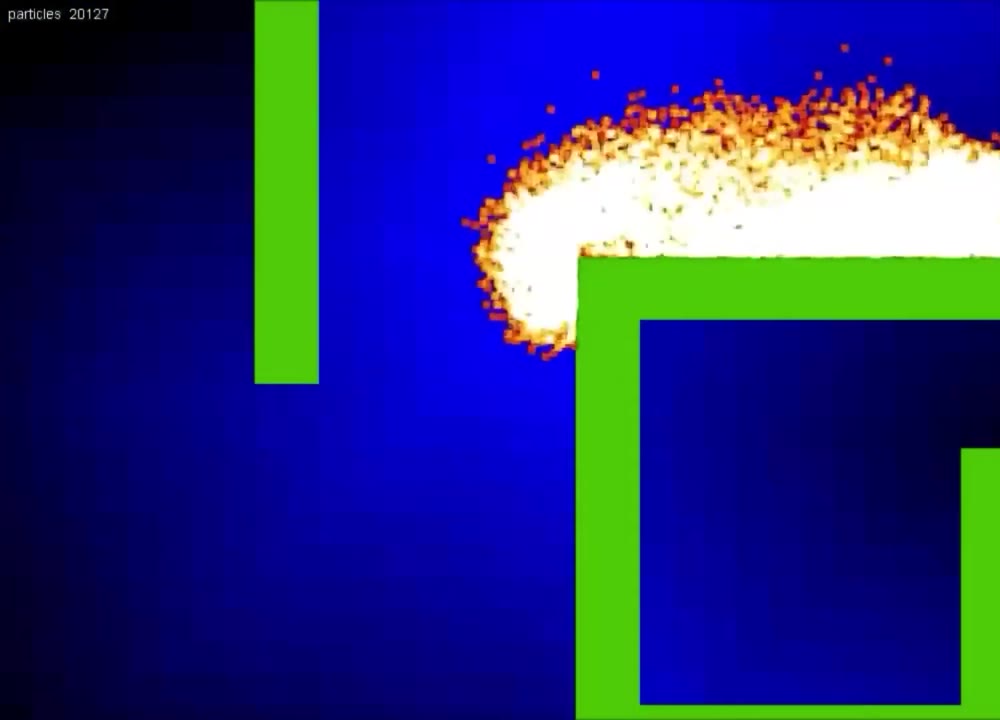
Cameras and views
A 2D camera is just the rectangle of the world that gets drawn (L13). In SFML that is an sf::View: set its center and size, call window.setView, draw the world, then switch back to the default view to draw the HUD at fixed window coordinates. Camera behaviors are small variations on that: lock on the player, smoothed follow, a trap box, directional scrolling. Assignment 3 keeps Mega Man centered once he passes the middle of the screen; Assignment 4 shows one room at a time, where the room index is integer division of position by window size, with a follow camera you can toggle (L15). Viewports, given as fractions of the window, give split screen and minimaps.
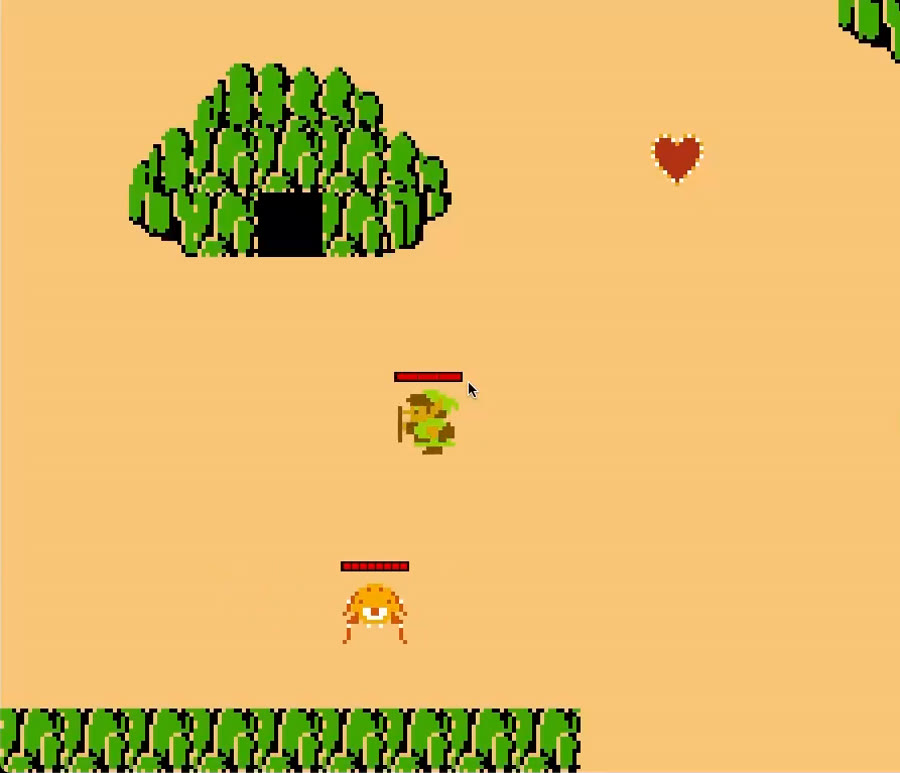
Data-driven design and tools
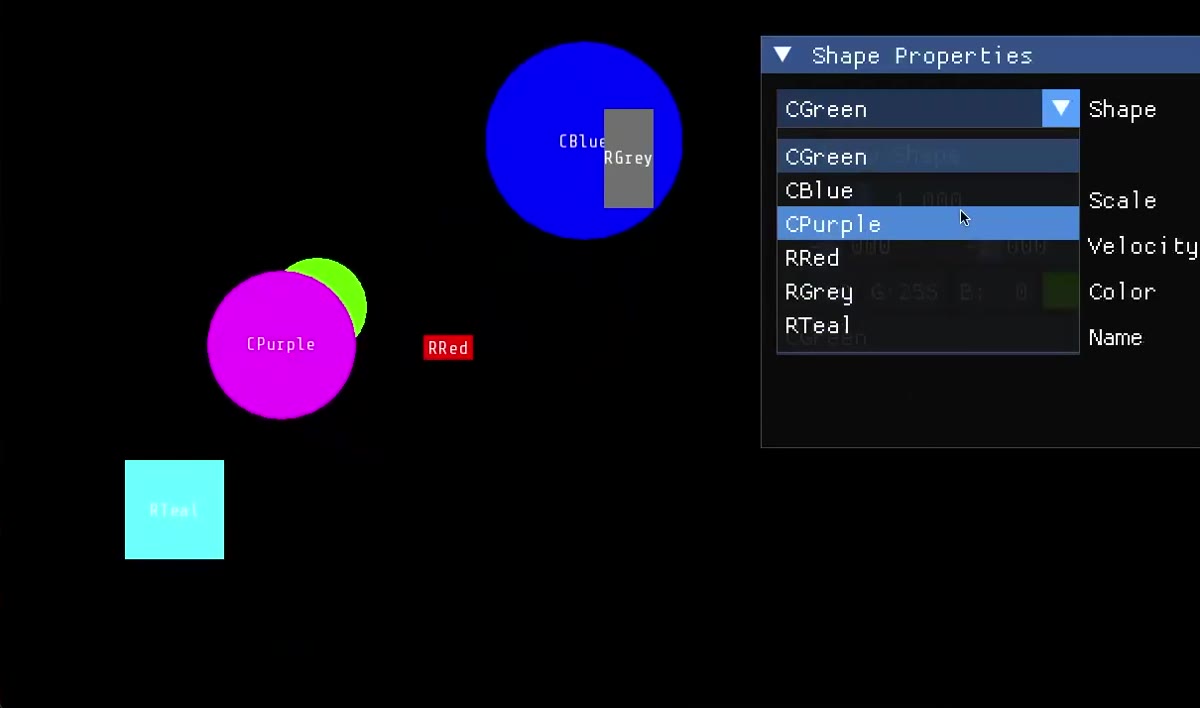
Almost nothing is hard-coded. Assignment 1 reads Window, Font, Circle and Rectangle lines from a text file (L2); later assets and levels follow the same pattern (Texture, Animation, tiles placed in 64 by 64 grid coordinates), and the project requires levels, player and options in external text files.
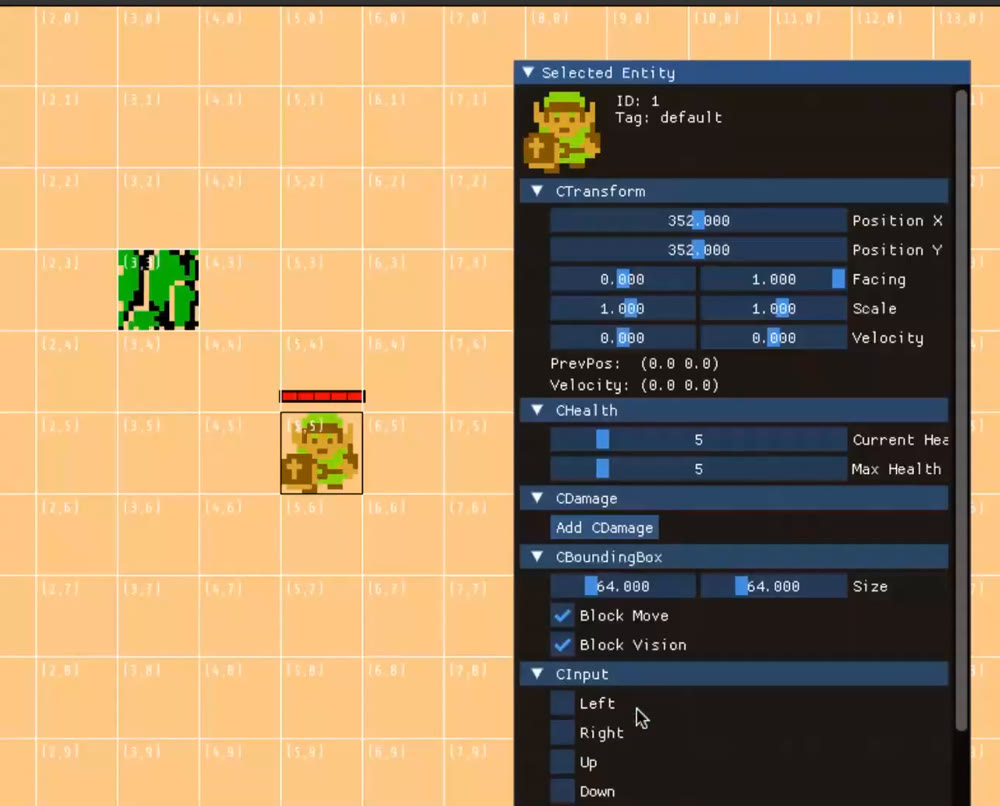
Dear ImGui makes tools cheap (L3). It is immediate-mode: the UI is redeclared every frame and widgets edit your variables in place, so a panel to tune a shape, toggle systems, list entities or draw collision boxes is a few lines. Assignment 4 goes one step further with an inspector: click an entity and draw a section for each component it has. That inspector is the first half of a level editor (L16).
The editor itself is a separate scene that ignores physics and AI. Left click selects, right click toggles dragging, positions snap to the grid, and each component the entity lacks gets an add button. Saving writes a temporary file and renames it over the old one so a crash cannot corrupt the save; because components are plain data, serializing them is just writing them out.
Animation, shaders and particles
A texture holds pixels on the GPU, and a sprite is a cheap drawable that points at one (L8). A sprite sheet packs frames into one image and setTextureRect picks one; an Animation advances with currentFrame = (gameFrame / speed) % frameCount, and facing left is the same animation drawn with scale.x = -1.
Shaders (L18) are fragment programs that run once per pixel on the GPU. They receive uniforms such as time and resolution and work in normalized 0 to 1 coordinates. In SFML you load an sf::Shader and pass it to window.draw(sprite, &shader), and shaders can be edited and reloaded without recompiling the game; the project asks for three.
Particles (L21) are the one place ECS is the wrong tool: hundreds of thousands of entities waste memory on components they never use. A std::vector<Particle> plus one sf::VertexArray of quads draws everything in a single call.

Performance: caches, loops and measuring
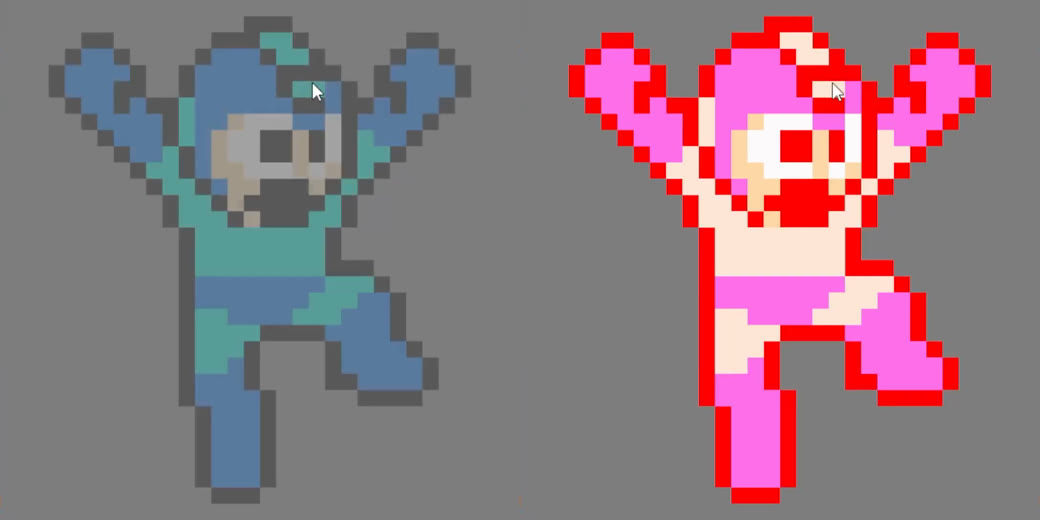
The performance lectures are about hardware, not Big-O. Lecture 17 starts from the fact that a cache line is about 64 bytes (L17 at 22:30): entities scattered across the heap cost cache misses, and malloc and free during gameplay are slow. The fix is a pool allocated up front (100,000 entities in the example, L17 at 18:30) in which an entity is just an index into a tuple of component vectors, which also suits systems that read only one or two component types.
L19 covers the main loop. Tying the simulation to the frame rate makes a game run at different speeds on a 60 Hz and a 240 Hz monitor. A fixed-step loop instead accumulates elapsed time and runs as many fixed updates as are owed before it renders, with interpolation if needed, so the physics stays deterministic.
L20 closes the loop with measurement. A RAII timer plus a macro that compiles away writes chrome://tracing JSON. On the platformer it showed that creating the SFML window took longer than loading every asset (L20 at 72:30), that fonts were the slow assets with a 42 KB font the slowest (L20 at 75:30), and that the game’s own update took about a millisecond of each 60 fps frame while SFML waited on the buffer swap for the rest (L20 at 82:00).
The final project: where the topics meet
The final project (L11) is a group assignment for up to four people: build an original game on the same engine, in C++ with ECS, using only SFML and ImGui (Box2D is out). Assignment code can be reused, but assets and levels cannot, and the gameplay has to differ significantly from the assignments. It is worth 50% of the course and has to be passed to pass the course. The specification reads like a checklist of the sections above:
- Scenes and progression (engine): main menu, overworld map with locked levels, gameplay, inventory, level editor and game over; save and load; an options menu with volume, difficulty and key rebinding.
- Mechanics (ECS, collision): two movement abilities with a cooldown or cost, three swappable weapons (one using ammo), three NPC types with basic AI, hit points with invincibility frames, three items with an inventory UI, three status effects, moving tiles, gravity.
- Seeing and thinking (vision): ray casting for visibility, ray-cast lighting, pathfinding or steering.
- Presentation (cameras, graphics): two camera views, parallax backgrounds, three shaders, a polished HUD instead of ImGui debug UI, music and sound effects.
- Tools (tools): a grid-based ImGui editor that places textures and edits entity parameters (blocks vision, hit points, patrol points). At least three levels plus a separate boss level. Levels, player and configuration are defined in external text files, and every level except the boss battle has to be buildable in the editor.
- One extra: a major mechanic outside the list, worth 10% of the project mark.
The project mark is split into a proposal (5%), a short gameplay demo video (10%), the code and gameplay (60%), a 15 to 20 minute report video (20%) and a trailer (5%). The report has to demo every mechanic with a full level playthrough and the editor, and list what did not work.
Two diagrams summarize how the project fits together. First, the scenes it has to ship and how a player moves between them:
Second, the data behind them. Levels, assets and configuration live in external text files, so the level editor edits the same level files that the gameplay scene loads.
Texture, Animation, font and sound linesWhat I would keep
The games are small, but the habits carry over: keep data and logic apart, change structure at frame boundaries, make debugging tools part of the engine, and measure before optimizing.
Sources
- COMP 4300 Fall 2025 lecture playlist, David Churchill, Memorial University.
- Project specification and template, including the marking scheme and feature checklist.
- Screenshots are frames from the lecture videos linked in their captions; the diagrams were drawn for this post.